qrcode-rs





qrcode-rs is a Rust crate for generating QR Code and Micro QR Code symbols, rendering them in multiple output formats, and optionally decoding them back through rqrr.
It is designed to cover the common cases well out of the box while still exposing lower-level building blocks for advanced encoding workflows such as fixed versions, mode forcing, GS1/FNC1 payloads, structured payload helpers, and custom rendering.
- Documentation: docs.rs/qrcode-rs
- Crate page: crates.io/crates/qrcode-rs
- Repository: github.com/houseme/qrcode-rs
Highlights
- Encode standard QR Code and Micro QR Code symbols.
- Use simple constructors, an ergonomic builder API, or batch generation helpers.
- Render to terminal text, Unicode, ANSI, SVG, PNG, EPS, PIC, HTML, and PDF.
- Generate structured payloads for URLs, plain text, WiFi credentials, vCards, and GS1 data.
- Parse WiFi, vCard, and GS1 QR payloads back into typed data structures.
- Add accessible alt text and ARIA labels for SVG and HTML output.
- Opt into
serde, CLI support, async rendering, streaming, lightweight logging, andrqrr-based decoding via feature flags. - Use the 2.0 split crates directly when a library needs only core, render, parse, decode, or one backend layer.
- Run without default features for lean
no_std + allocusage.
Installation
Use the default feature set if you want the most common renderers enabled:
[dependencies]
qrcode-rs = "2.0"
If you only need the core encoder and want to avoid the default rendering stack:
[dependencies]
qrcode-rs = { version = "2.0", default-features = false }
Enable only the pieces you need:
[dependencies]
qrcode-rs = { version = "2.0", default-features = false, features = ["std", "svg", "serde"] }
Feature Flags
| Feature | Purpose |
|---|---|
default |
Enables std, image, svg, pic, eps, html, and pdf. |
std |
Links the standard library. Disable for no_std + alloc. |
image |
Raster image rendering, including PNG workflows. |
svg, pic, eps, html, pdf |
Individual renderer backends. |
serde |
Serialize / Deserialize support for core QR data types. |
log |
Emits encoder diagnostics through the log crate. |
async |
Enables Tokio-backed async rendering helpers. |
cli |
Builds the qrencodes command-line tool. |
decode-rqrr |
Enables decoding through rqrr. |
compat-1x |
Keeps the 1.x facade API available during the 2.0 migration. |
Workspace Crates
qrcode-rs remains the recommended facade for applications. The 2.0 release
also publishes smaller crates for libraries that need a narrower dependency
surface:
| Crate | Use it when you need |
|---|---|
qrcode-core |
Core encoding types, module views, traits, and plugin contracts. |
qrcode-render |
Shared render traits, text/Unicode/ANSI/image helpers, and color utilities. |
qrcode-parse |
WiFi, vCard, and GS1 payload parsing without the facade. |
qrcode-decode |
Decoder traits, grayscale views, Structured Append parsing, and the optional rqrr adapter. |
qrcode-svg, qrcode-eps, qrcode-pic, qrcode-html, qrcode-pdf |
Individual renderer backends. |
For example:
[dependencies]
qrcode-core = "2.0"
qrcode-svg = "2.0"
qrcode-compat is a workspace-local migration harness and is not published.
Quick Start
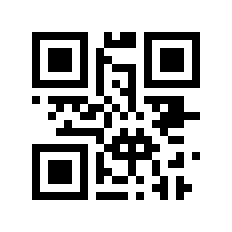
Render a PNG
use image::Luma;
use qrcode_rs::QrCode;

fn main() {
    let code = QrCode::new(b"https://example.com").unwrap();
    let image = code
        .render::<Luma<u8>>()
        .min_dimensions(256, 256)
        .build();

    image.save("/tmp/qrcode.png").unwrap();
}
Generates:
Builder API with a fixed error-correction level
use qrcode_rs::{EcLevel, QrCode};
use qrcode_rs::render::unicode;

fn main() {
    let code = QrCode::builder("https://example.com")
        .ec_level(EcLevel::H)
        .build()
        .unwrap();

    let terminal = code
        .render::<unicode::Dense1x2>()
        .quiet_zone(false)
        .build();

    println!("{terminal}");
}
Generate a Micro QR SVG
use qrcode_rs::{EcLevel, QrCode, Version};
use qrcode_rs::render::svg;

fn main() {
    let code = QrCode::with_version(b"01234567", Version::Micro(2), EcLevel::L).unwrap();
    let image = code
        .render::<svg::Color>()
        .min_dimensions(200, 200)
        .dark_color(svg::Color("#800000"))
        .light_color(svg::Color("#ffff80"))
        .build();

    println!("{image}");
}
Preview:

Common Encoding Helpers
qrcode-rs includes convenience constructors for common payload types:
QrCode::for_url(...)QrCode::for_text(...)QrCode::for_wifi(ssid, password, auth)QrCode::for_vcard(name, phone, email)QrCode::for_gs1(...)QrCode::new_micro(...)QrCode::batch(inputs, ec_level)
Example:
use qrcode_rs::QrCode;

fn main() {
    let wifi = QrCode::for_wifi("GuestNetwork", "p\\;ss", "WPA").unwrap();
    let contact = QrCode::for_vcard("Ada Lovelace", "+15551234", "ada@example.org").unwrap();

    println!("wifi width = {}", wifi.width());
    println!("contact width = {}", contact.width());
}
Structured Payload Parsing
The parse module can turn QR payload text back into typed domain objects:
use qrcode_rs::parse::wifi::WifiConfig;

fn main() {
    let payload = r#"WIFI:T:WPA;S:GuestNetwork;P:p\;ss;H:false;;"#;
    let cfg = WifiConfig::parse(payload).unwrap();

    assert_eq!(cfg.ssid(), "GuestNetwork");
    assert_eq!(cfg.security().as_str(), "WPA");
    assert!(!cfg.hidden());
}
There are also parsers and examples for:
parse::vcard::VCardparse::gs1::Gs1Result
Accessible Output
For web and document workflows, the crate includes helpers to describe QR codes accessibly:
use qrcode_rs::QrCode;
use qrcode_rs::render::svg;

fn main() {
    let payload = "https://example.com";
    let code = QrCode::new(payload).unwrap();
    let raw_svg = code.render::<svg::Color>().build();
    let labeled_svg = svg::aria_label(&raw_svg, &QrCode::alt_text(payload));

    println!("{labeled_svg}");
}
Decoding with rqrr
Enable decode-rqrr to bridge generated or external grayscale QR images back into data:
[dependencies]
qrcode-rs = { version = "2.0", features = ["decode-rqrr"] }
use image::Luma;
use qrcode_rs::decode::rqrr::RqrrDecoder;
use qrcode_rs::decode::{GrayPixels, QrDecoder};
use qrcode_rs::QrCode;

fn main() {
    let payload = b"https://example.com/decode-bridge";
    let code = QrCode::new(payload).unwrap();
    let image: image::GrayImage = code.render::<Luma<u8>>().min_dimensions(200, 200).build();

    let decoded = RqrrDecoder::new().decode(GrayPixels::from(&image)).unwrap();
    assert_eq!(decoded[0].data(), payload);
}
Command-Line Tool
Enable the cli feature to build the bundled qrencodes binary:
cargo install qrcode-rs --features cli
Basic usage:
qrencodes "https://example.com"
qrencodes -f svg -o out.svg "https://example.com"
qrencodes -f png -o out.png --size 12 --dark '#1a1a2e' --light '#f5f5dc' "Hello"
printf 'piped input' | qrencodes -f unicode
qrencodes --batch ./payloads.txt -f svg -o ./out
Supported output formats:
stringunicodeansisvgpngepspichtmlpdf
See the full help with:
cargo run --features cli -- --help
More Examples
The examples/ directory covers the main workflows in this crate:
- Rendering:
encode_image,encode_svg,encode_html,encode_eps,encode_pic,encode_string - Advanced encoding:
encode_eci,encode_kanji,encode_fnc1,const_version,typed_encoding_mode,structured_append - Structured payloads:
parse_wifi,parse_vcard,parse_gs1,stream_codes - Plugins and async:
plugin_plain_text,plugin_invert_modules,async_render - Accessibility and styling:
accessible_svg,custom_colors,color_spaces,cmyk_print,batch_template,alt_text - Decoding and errors:
decode_roundtrip,error_handling - CLI patterns:
cli_tool
Migration
For the 1.x to 2.0 upgrade path, see MIGRATION-1.x-to-2.0.md. The compat-1x feature keeps the legacy facade available while call sites move to the builder, module-view, streaming, and split-crate APIs.
License
Licensed under either of:
- Apache License, Version 2.0, (LICENSE-APACHE or http://www.apache.org/licenses/LICENSE-2.0)
- MIT license (LICENSE-MIT or http://opensource.org/licenses/MIT)
at your option.
Contributing
See CONTRIBUTING.md for development and contribution guidelines, including the local property-test, differential-test, and fuzzing commands used by CI.
Unless you explicitly state otherwise, any contribution intentionally submitted for inclusion in the work by you, as defined in the Apache-2.0 license, shall be dual licensed as above, without any additional terms or conditions.
Acknowledgements
Thanks to Kennytm. This crate is based on qrcode-rust.